
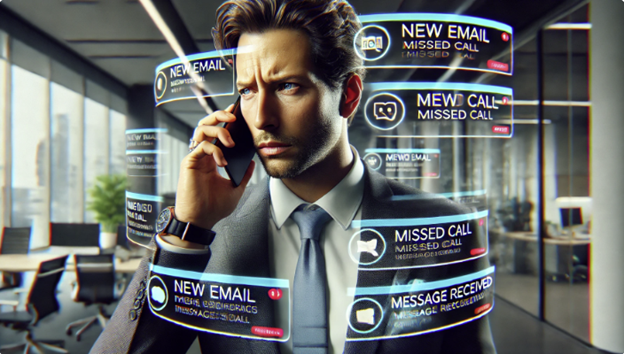
Like to find some extra hours in your day? Effective communication is essential to success in all our business and personal projects. Most folks know this, but lots of us take it for granted since it is an integral part of each day. Like drinking plenty of water, we do it all day, so we don’t think much about it, but that’s essential to our health. A little time spent analyzing our communication habits to improve efficiency has the beneficial side effect of creating more time in our day and the day of others.
Are you overwhelmed by messages and calls? Our time is valuable and the communication methods you and your colleagues choose can conserve or waste time. We are in the age of multiple communication tools, each with many pros and cons. Using the tool that best fits the message can improve efficiency, save time, and reduce our level of stress.
I had a major awakening on this subject a few years ago. I was helping the Navy design wireless networks for ships. I was the lead engineer in our lab, so I had a lot of coordinating to do everyday with other engineers, equipment vendors, logistics folks, and our managers. On a typical day I would spend the first two, three, maybe four hours on the phone each morning. Then the Navy came down with a major operational change. We were all issued Navy.mil email addresses and ordered to use email for all communications possible. I had a tough time accepting this. Phone calls are so much more personal. Not only would the message be conveyed, but you also knew how their family was doing, the latest gossip, and when the next group happy hours is. Why switch to email when you can work the phones? But, once I finally caught on, my entire day changed. I was done with emails in the first hour of the day and had eliminated 90% of the calls I needed to make. This meant way more time in the lab where I was actually getting stuff done!
Then, text messaging came along. Way more efficient than email for short messages, but other than that it’s a shit show! I will break that down in a minute.
In a business context, selecting the right communication medium—email, phone, or text—depends on the urgency, formality, and complexity of the message. Here are guidelines to help decide:
Email solves a lot of the problems caused by the other comm modes. The best use of email is for formal, important, and detailed communication that needs a response within 24-48 hours. Specifically:
- When formality is required, like sending reports, proposals, contracts, meeting minutes, or client follow-ups.
- When details need to be documented, like project updates, task assignments, or confirming decisions.
- And when the response is not urgent. You only need to check email once a day. Use email to ask non-urgent questions or discussions that can wait 24 to 48 hours.
When emailing always use a professional tone and structure your message for clarity. Email is the equivalent to the old business letter and should be written in that style. Here’s some other good practices:
- Use rich text formatting to take advantage of bold text, highlighting, bullets, etc. for better readability.
- “Answer the mail!” Check email at least once a day to maintain consistency and responsiveness.
- Manage your email account: use folders, separate accounts for business and personal, block spam, and have a “trash” email account for signing up to newsletters, etc.
- Have good signature blocks. Most should include your phone number. If the recipient reads something in your email that strikes them as urgent, they don’t need to look up your phone number. It’s at the bottom of every email.
- Get your life back by training your colleagues and customers to email. Once they see you are VERY responsive with email, they will get sucked in.
- Make your emails as smart as you are – reread and edit all emails before sending! The person that can compose and type anything perfectly the first time is very rare. I know that’s not me and probably not you. If you’re not doing this already, once you start you will see what I mean, there will be mistakes. DON’T LET YOUR EMAILS MAKE YOU LOOK LIKE A DUMMY!
Phone
Phone calls are total time suckers, but nothing beats a call for certain things. A phone call is best for urgent or complex topics requiring discussion. Use phone calls when a quick decision or immediate response is needed for resolving time-sensitive issues, clarifying miscommunications, or confirming details for tight deadlines. Voice calls are essential when complexity or sensitivity is involved. Emails and texts do not express emotion like the tone of a voice. Calls are more personal for delivering critical feedback, negotiating contracts, or addressing client concerns.
When calling, always respect working hours and schedule non-urgent calls when possible. Remember phone calls are not self-documenting like email or texts. Having a clear agenda and keeping notes makes your calls more productive and considerate of everyone’s time.
Most importantly, before you make that call ask yourself, “Can this be better done by email?” You can read and write a lot of emails in the time it takes to make a single call. Be considerate of the recipient’s time, and yours!
Texting
Text messaging is best for brief, time sensitive updates when quick and informal communication is appropriate. Use texting to inform someone or a group of a last-minute schedule change or confirming logistics (e.g., “Meeting moved to 3 PM”). Texting is much more time efficient than a call for short semi-urgent conversations.
Beware, texting is easy for the sender, but much harder to manage for the receiver. I’ve noticed a lot of folks using text just because it’s so easy to click, speak or type, and send. But on the other end, text messages are a kludge of random bits of information not categorized in any way and hard to search. Non-urgent messages coming in from several people in random order is a big time-sucker. If you want to have a discussion, make a call. If you want to document information in an organized manner, use email, please!
I am certain there are issues I have not covered here and some of you will disagree with my protocols. So, I would love to get your comments. And don’t forget, reread and edit all messages before sending!


 The Blog of Tim Schmitz
Here’s another great tip that has helped me immensely. There will always be those folks that don’t like (or can’t) type and insist on calling. Immediately after the call, send an email to the caller and other involved parties documenting the call. Now you have everything that was discussed in writing.
LikeLike